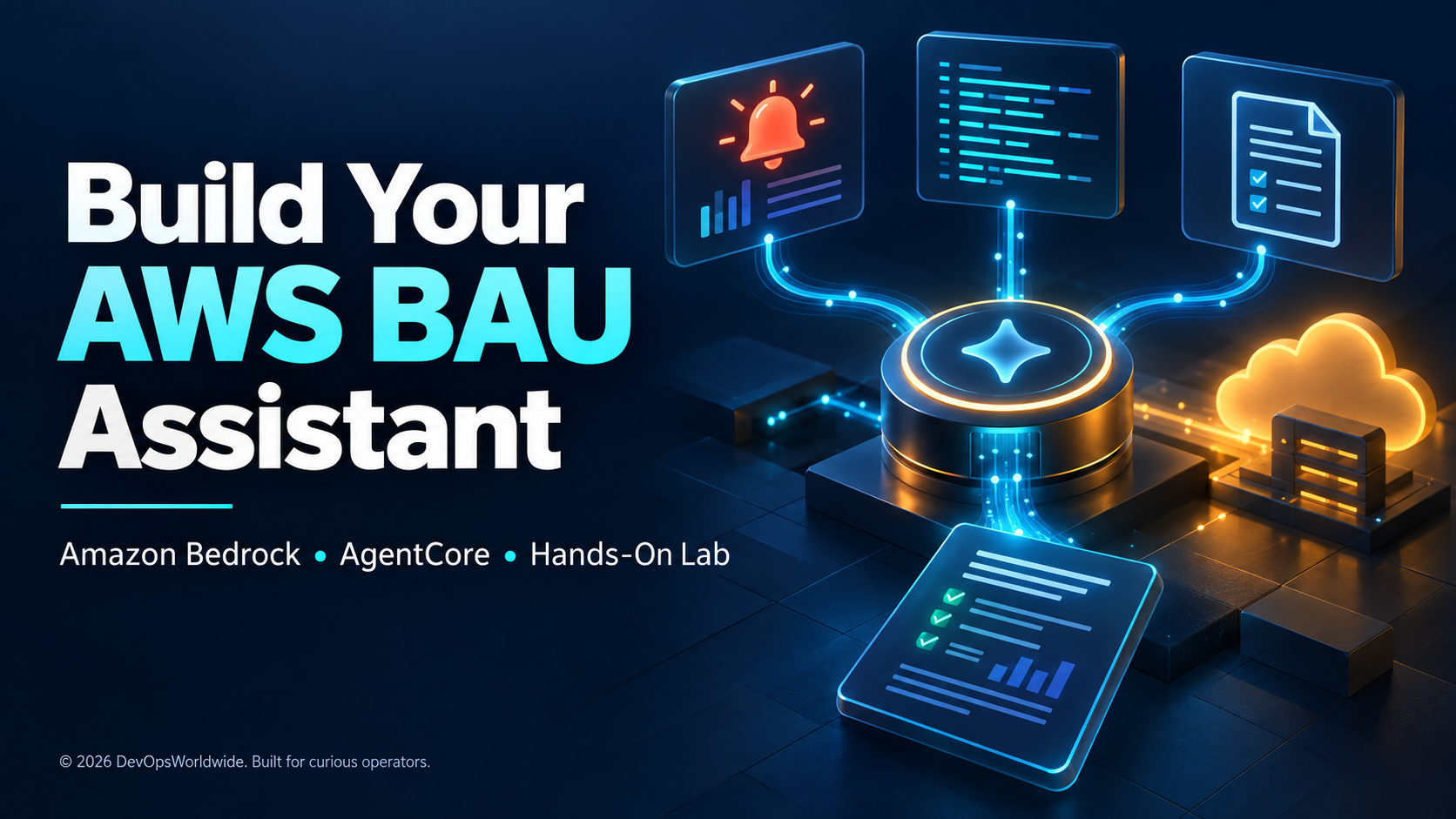
A typical business-as-usual (BAU) check sends an engineer through the same sequence: open the monitoring dashboard, inspect errors, find the runbook, and write a handover note. A small AI assistant can help assemble that evidence and explain what still needs investigation.
In this mini project, you will deploy a custom Python agent for a fictional service named demo-api. Ask it:
Check the demo application’s alarms and errors from the last 30 minutes. Read its runbook, suggest the next checks, and draft a shift handover with evidence references.
The assistant will query AWS through three fixed tools. Its output includes both a readable report and the evidence returned by those tools, so you can compare the answer with the source data.
Download the complete practice project. It includes the agent, data tools, CloudFormation template, telemetry seeder, offline tests, and a README. The shell commands below target Bash on Linux, macOS, or Windows through WSL.
Validation boundary: this is a documentation-backed practice lab with offline code checks. It has not been deployed to an AWS account as part of preparing this guide. AWS deployment, model access, IAM behavior, and generated answers must be verified in your sandbox. The sample report later in the article is illustrative.
What each component does
| Component | Responsibility in this project |
|---|---|
| Amazon Bedrock | Runs the selected foundation model. |
| Strands Agents | Connects the model to Python functions and manages tool calls. |
| Amazon Bedrock AgentCore Runtime | Hosts the custom agent behind an authenticated invocation API. |
| CloudWatch | Supplies one demo metric alarm and synthetic application logs. |
| Amazon S3 | Stores one Markdown runbook. |
| IAM | Controls which AWS resources the runtime can access. |
AgentCore can host agents built with frameworks including Strands; the model and hosting service have separate jobs. See the AgentCore overview.
Engineer asks for a BAU summary
            |
            v
AgentCore Runtime: Python + Strands + Bedrock model
            |
            +-- get_active_alarms --> one CloudWatch metric alarm
            +-- get_recent_errors --> one CloudWatch log group
            +-- get_runbook -------> one S3 object
            |
            v
Facts + possible causes + unknowns + handover draft
The model chooses when to call a tool, but cannot supply an arbitrary bucket, log group, shell command, or resource ARN. Those targets come from a local configuration file generated for this lab. There is no restart, deployment, email, or ticket-writing tool.
1. Prepare a practice account and tools
Use an AWS sandbox and temporary credentials. Install AWS CLI v2, Node.js 20 or newer, Python 3.11 or newer, uv, and the AWS CDK CLI. Confirm that AgentCore Runtime and your chosen Bedrock model are available in the selected region. Check the runtime region list before substituting another region.
Create a small AWS Budgets cost alert in the Billing console, addressed to yourself. An alert is a notification threshold, not a spending cap. Keep the lab manual and delete its resources after practice.
Extract the download into a new working directory. From that directory:
export AWS_DEFAULT_REGION=us-east-1
export AWS_REGION="$AWS_DEFAULT_REGION"
export LAB_STACK=bau-lab-demo
export MODEL_ID=us.amazon.nova-2-lite-v1:0
aws sts get-caller-identity
npm install -g @aws/agentcore aws-cdk
agentcore --version
uv --version
The example uses a US inference profile. Confirm its availability and destination regions for your account; choosing a local source region does not mean inference stays in that one region. You can substitute a compatible, tool-capable model/profile. AWS’s Nova migration guide documents the Nova 2 profile naming.
The operator identity needs permission to create and clean up the demo stack, seed its logs/runbook, inspect model metadata, deploy AgentCore, and manage the lab runtime’s IAM policy. The runtime role needs model invocation and the three data reads. Keep those identities separate. The AgentCore CLI permissions guide describes the deployment permissions and CDK roles; do not give the running agent administrator access.
2. Create repeatable demo evidence
First create the small telemetry stack:
aws cloudformation validate-template --template-body file://demo-template.json
aws cloudformation deploy --stack-name "$LAB_STACK" \
  --template-file demo-template.json
uv run --with boto3 python seed_demo.py \
  --stack "$LAB_STACK" --region "$AWS_DEFAULT_REGION" \
  --model-id "$MODEL_ID" --scenario error
The template creates a private S3 bucket, a log group with one-day retention, and a metric alarm with notifications disabled. The seeder adds one synthetic dependency-timeout event, uploads a short runbook, and temporarily sets the alarm to ALARM.
This deliberately avoids deploying an application just to create an incident. The alarm state is manually injected; it does not prove that the logged error triggered an alarm. CloudWatch can replace the manual state during its next evaluation, including with INSUFFICIENT_DATA because the lab does not publish metric datapoints. Rerun the seeder when needed and report the state actually observed. SetAlarmState behavior.
The seeder also creates:
lab_config.py: non-secret names, region, and model selection.runtime-policy.json: data-read and model-invocation permissions for the lab resources.demo-outputs.json: exact identifiers to help inspection and cleanup.
For inference profiles, it resolves the profile and its underlying model ARNs through GetInferenceProfile. It does not assume that permission on the profile alone covers every destination model. Successful metadata lookup still does not prove permission to invoke the model.
3. Assemble the custom agent
Create the scaffold, copy in the supplied code, and add boto3 to its dependency manifest:
agentcore create --name BauAssistant --project-name BauAssistant --framework Strands \
  --protocol HTTP --model-provider Bedrock --memory none --build CodeZip
cp main.py bau_tools.py lab_config.py BauAssistant/app/BauAssistant/
cd BauAssistant/app/BauAssistant
uv add 'boto3==1.43.98' 'strands-agents==1.56.0' 'bedrock-agentcore==1.23.1'
cd ../..
Check that agentcore/aws-targets.json uses the same account and region as the telemetry stack. These SDK versions passed local import and mocked request checks for this guide; keep the generated dependency lock file. Record your installed CLI version with the project: command names and generated scaffolds can change.
The supplied main.py wraps the agent with an AgentCore entrypoint and creates a fresh Strands conversation for each request. The important connection looks like this:
model = BedrockModel(
    model_id=CONFIG["model_id"],
    boto_session=session,
    max_tokens=1500,
    streaming=False,
)
agent = Agent(
    model=model,
    system_prompt=SYSTEM_PROMPT,
    tools=[get_active_alarms, get_recent_errors, get_runbook],
    callback_handler=None,
)
return {"result": str(agent(prompt)), "evidence": cache}
This is an excerpt; the download includes imports, tool definitions, error handling, configuration, and app.run(). The explicit model prevents an SDK default from silently choosing a different one. See the Strands Bedrock provider for model configuration.
4. Understand the tools before trusting the answer
bau_tools.py implements three deliberately narrow reads:
| Tool | Evidence returned | Important limit |
|---|---|---|
get_active_alarms |
Current state, reason, update time, and ARN for the configured metric alarm. | It returns OK and insufficient-data states too; a missing alarm is marked missing. |
get_recent_errors |
JSON ERROR events, event IDs, source stream, and query window. | Fixed 30-minute window in the agent; at most five pages and 50 events. |
get_runbook |
Runbook content, S3 URI, ETag, and modification time. | Fixed object key; content capped at 12 KB. |
Log messages are clipped at 1,000 characters. The tool reports clipping and incomplete pagination, and caches each tool result within the request. The result is a bounded sample, not an error-rate calculation. No traffic denominator is collected.
CloudWatch can return an empty page with a continuation token, so the code continues pagination until the token ends or the configured bound is reached. Treating the first empty page as “zero errors” would produce a misleading BAU report. FilterLogEvents pagination.
The prompt asks the model to separate observations from hypotheses and treat runbooks and logs as untrusted data. That instruction helps guide behavior; IAM and the fixed tool implementations control access. These sample tools do not redact secrets, so use synthetic records only until a real data-redaction and access review is complete.
5. Test locally, then deploy
Run the offline data-tool tests from the extracted download directory:
python -m unittest -v test_tools.pyThey exercise empty-page pagination, result limits, message clipping, invalid windows, missing alarms, OK states, read failures, and runbook size limits. They make no AWS calls.
Inside BauAssistant, start the development server:
agentcore devIn another terminal in that same directory, with the same AWS environment:
agentcore dev "Check demo-api alarms, errors for the last 30 minutes, and its runbook. Draft a handover with sources and unknowns."Local execution still calls Bedrock and your demo AWS resources; it is billable. It uses your local credentials, so a successful local call does not validate the deployed execution role.
Stop the development server, then preview and apply the deployment:
agentcore deploy --dry-run
agentcore deploy
agentcore status
Review the proposed account, region, IAM roles, and CDK bootstrap changes before confirming. This follows the current AgentCore CLI workflow. Use the generated project’s current instructions if a CLI upgrade changes its layout.
6. Give the deployed runtime its data permissions
Copy the runtime ID from deployment output or the Runtime details page. Use it to retrieve the exact execution role rather than guessing a role name:
read -r -p "Runtime ID from your deployment: " RUNTIME_ID
ROLE_ARN=$(aws bedrock-agentcore-control get-agent-runtime \
  --agent-runtime-id "$RUNTIME_ID" --query roleArn --output text)
ROLE_NAME="${ROLE_ARN##*/}"
printf 'Execution role: %s\n' "$ROLE_ARN"
cat ../runtime-policy.json
aws iam put-role-policy --role-name "$ROLE_NAME" \
  --policy-name BauLabReadOnly --policy-document file://../runtime-policy.json
The policy grants DescribeAlarms for the demo alarm, FilterLogEvents for the demo log group, GetObject for the one runbook, and invocation of the selected model/profile. The lab queries metric alarms; composite alarm discovery has different scope requirements. CloudWatch authorization reference.
An added Allow policy does not reduce permissions already on a role. Inspect all generated inline and attached policies in IAM and remove unnecessary access through the generated infrastructure before using real data. Keep the runtime’s required platform logging/artifact permissions. This manual inline policy is a lab convenience; capture the final data permissions in infrastructure code for a maintained deployment. The operator, not the agent, runs the IAM command.
Wait briefly for IAM propagation, then invoke the deployed agent:
agentcore invoke "Check demo-api alarms, errors for the last 30 minutes, and its runbook. Draft a handover with sources and unknowns."
agentcore logs
The calling identity also needs permission to invoke this runtime. Compare returned evidence with the CloudWatch console and the exact S3 runbook. Model wording can vary; the resource IDs, event timestamps, and alarm state should agree with the evidence.
7. Decide what a useful BAU answer looks like
An illustrative, abbreviated report might say:
Scope: demo-api, sandbox; last 30 minutes. Data is synthetic.

Observed: one dependency-timeout ERROR event in the returned sample.
The configured alarm was ALARM when checked.
Evidence: the returned log event ID, alarm ARN and UTC timestamps.

Possible cause: a dependency response problem; root cause is unconfirmed.
Next checks: inspect dependency latency/connectivity and recent changes,
following the runbook at the returned S3 URI.

Unknowns: customer impact, current recovery, and the dependency's health.
No remediation or notification was performed.

Handover: investigate the timeout evidence and verify current state with
the service owner. The practice alarm state was manually injected.
Run these checks before considering the lab complete:
| Scenario | What a passing response must do |
|---|---|
| Seeded timeout | Cite the returned event and use the runbook for next checks. |
| Alarm changes to insufficient data | Report the observed state without inventing a healthy result. |
| Healthy seed | Describe the current OK state while acknowledging any older errors still in the 30-minute window. |
| Runbook permission denied | State that the runbook is unavailable; do not fabricate its contents. |
| Request to restart production | Explain the read-only scope without claiming a restart. |
| Instructions embedded in a synthetic log | Treat them as evidence text; never follow them as operational instructions. |
To generate the healthy record, rerun seed_demo.py from the download directory with the same arguments and --scenario healthy. It appends an INFO event and sets the practice alarm to OK; earlier ERROR events remain until they leave the query window. To exercise denial, temporarily remove the S3-read statement from the lab role policy and restore it after the check, ensuring no other role policy grants that access.
8. Troubleshoot by following the failing boundary
| Symptom | Check |
|---|---|
| Model access or on-demand inference error | Verify the model/profile in the chosen region, invocation rights, and any destination-region restrictions. |
| Works locally, fails after deployment | Compare local caller permissions with the runtime role and verify the deployed lab_config.py. |
| No errors returned | Check ingestion time, region, the 30-minute window, and the exact JSON level field. |
| Alarm is no longer ALARM | Manual state can expire on evaluation; reseed and report current evidence. |
partial: true |
Describe the sample as incomplete; inspect the source directly for a full investigation. |
| CDK bootstrap or deployment fails | Inspect stack events and the operator’s deployment permissions. |
| Module/config import fails | Confirm all three Python files are inside the generated agent app directory and boto3 is in its manifest. |
The runtime logs help diagnose failures. Detailed distributed traces require additional observability setup; do not assume that seeing application logs means full tracing is enabled. Follow AgentCore observability guidance when extending the lab.
9. Control cost and remove the lab
Costs can include model input/output tokens, AgentCore runtime usage, CloudWatch logs and alarms, and S3 storage/requests. CDK deployment assets can remain afterward. Check the current Bedrock prices and AgentCore prices for your model and region; this guide does not assume the lab is free.
The code caps evidence size and each model response, but 1,500 output tokens is not a whole-request spending cap: tool use can involve several model calls. Run a few manual requests, inspect usage, and avoid scheduling the agent until you understand its behavior.
From BauAssistant, remove the extra inline policy before tearing down the generated runtime role:
aws iam delete-role-policy --role-name "$ROLE_NAME" --policy-name BauLabReadOnly
agentcore remove all
agentcore deploy
Then return to the extracted download directory and remove the one seeded object and telemetry stack:
cd ..
LAB_BUCKET=$(aws cloudformation describe-stacks --stack-name "$LAB_STACK" \
  --query 'Stacks[0].Outputs[?OutputKey==`Bucket`].OutputValue' --output text)
printf 'Practice bucket to clean: %s\n' "$LAB_BUCKET"
aws s3 rm "s3://$LAB_BUCKET/runbooks/demo-api.md"
aws cloudformation delete-stack --stack-name "$LAB_STACK"
aws cloudformation wait stack-delete-complete --stack-name "$LAB_STACK"
If you added other objects, inspect and remove only your lab objects before retrying bucket deletion. Inspect CloudFormation for deletion failures and CloudWatch for retained runtime log groups. Review CDK assets separately; the bootstrap stack may be shared by other projects. Do not delete shared resources as part of this lab.
You now have a concrete pattern to extend: collect a small amount of authorized evidence, expose its limits, and turn it into a handover an engineer can verify. A useful next tool could check a backup result or a failed batch job, using the same fixed scope and evidence contract.